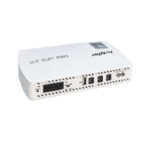
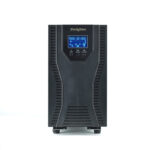
A UPS protects a NAS most effectively when battery power and shutdown signaling are planned together. Supplying power for several minutes is useful, but the storage system also needs to know when to stop work safely. Select a compatible communication arrangement, allow enough time for the real shutdown sequence and verify the complete path before relying on unattended protection.
Define the storage outcome you need
Decide whether the NAS should ride through short interruptions, continue operating for a defined period or enter its supported safe state when the outage persists. These objectives can coexist in a policy, but the timing and reserve need to be explicit. The plan should not depend on someone noticing the outage and manually shutting the NAS down.
Identify applications using the storage, such as backup jobs, virtual machines or databases. Their orderly stop may need coordination beyond the NAS itself. A safe power policy should consider the service chain and its data-handling requirements rather than treating the storage appliance as an isolated box.
Confirm communication compatibility before purchase
Check the exact NAS model, operating-system version and supported UPS integration. USB, serial and network management interfaces are not interchangeable simply because they can report information on another computer. The NAS must support the specific UPS communication method and protocol.
QNAP’s UPS integration guidance emphasizes compatible UPS selection and describes supported USB or SNMP arrangements for its covered systems. Use the NAS manufacturer’s current compatibility information for the actual model. This is not a claim that every Techfine UPS is certified for every NAS.
Separate power wiring from the information path
The NAS receives electrical power from the UPS output and receives status through a supported communication path. Both must work. A USB socket on a UPS can serve different functions, while a network card may be optional. Confirm that the quoted equipment contains the interface needed for the chosen integration.
Record how the NAS learns that utility power has failed, that the battery is low and that normal power has returned. If an intermediate server supplies status to other systems, include that server in the design and ownership record. A diagram makes these dependencies easier to see.
Keep necessary network equipment powered
A network-based shutdown arrangement relies on the devices that carry its messages. Identify switches and other equipment in the local path, and include them in the protected load where required. A UPS network card remaining powered is insufficient if the switch between it and the NAS stops operating.
Include those devices in both the power-capacity and runtime calculations. A few small additions can consume part of the shutdown reserve. Distinguish the local signaling path from internet access; some integrations do not need the public internet, but they still need their specified local communication arrangement.
Allocate time for the complete shutdown sequence
Allow for outage detection, any intentional waiting period, application stop, storage-safe actions and the system’s final supported state. The exact behavior belongs to the NAS documentation and installed applications. Do not assume that clicking shutdown during a quiet demonstration represents the longest relevant operating condition.
As an illustrative timeline, a two-minute wait followed by three minutes of application and system activity already uses five minutes before any additional reserve. This is not a recommended setting. Measure or assess the actual workflow and ensure the battery duration remains adequate under the accepted load and battery condition.
Choose a policy that accounts for battery condition
A fixed delay must remain appropriate as the battery ages and the protected load changes. A reported low-battery event or remaining-time estimate can be useful, but the integration must interpret it correctly and provide sufficient time for the required action. Follow the NAS and UPS suppliers’ supported configuration guidance.
Avoid an unnecessarily late shutdown policy based on the best new-battery runtime. The objective is a controlled service outcome, not using every available second of stored energy. Keep the reserve basis in the handover record so later changes can be reviewed.
Use a storage protection checklist
| Area | What to confirm | Evidence |
|---|---|---|
| UPS capacity | NAS and all required dependencies fit watt and VA limits | Current load schedule |
| Communication | Supported interface, protocol and accessories | NAS compatibility and configuration record |
| Runtime | Enough energy for waiting, shutdown and reserve | Configuration-specific runtime basis |
| Shutdown outcome | Required applications and storage reach the supported safe state | Approved acceptance results and logs |
| Recovery | Restart behavior and responsible owner are defined | Documented recovery policy |
Mark any missing item as outstanding. A dashboard reading that reports the UPS model is useful evidence of detection, but it does not prove that the complete shutdown process has been accepted.
Verify through an approved maintenance window
Arrange a suitable test plan with the responsible administrator and installer. Protect current work and follow the manufacturers’ procedures. This article does not ask users to interrupt a production NAS unexpectedly or disconnect equipment arbitrarily. The plan should be appropriate to the consequences of losing the storage service.
Check event detection, the configured action, relevant application behavior and the final supported state. Preserve logs and timestamps. If the integration only produces an alert but cannot initiate the required action, record that limitation rather than declaring unattended shutdown complete.
Plan recovery after power returns
Determine whether the NAS should restart automatically or wait for an administrator. Consider battery recovery, the readiness of network services and any dependent applications. Automatic restart can be convenient, but it is a separate policy decision from safely stopping during the outage.
Record the intended sequence for multiple systems. If an application server depends on storage, its recovery may need coordination. Revisit the plan after software updates or changes to the UPS integration, using the current vendor documentation.
Prepare the Techfine application enquiry
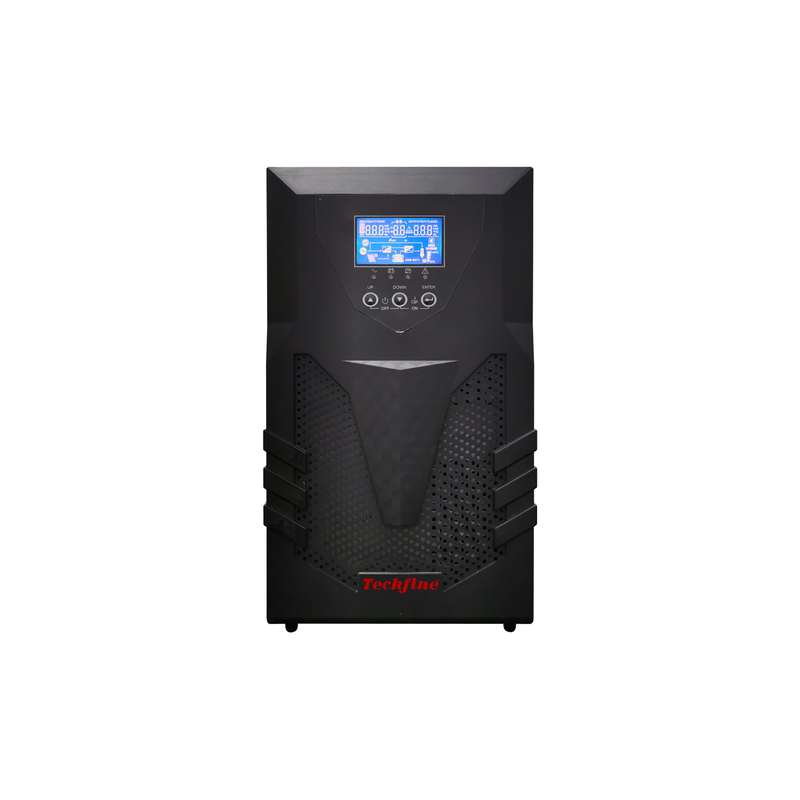
The Techfine CQ UPS page provides a product starting point. Ask for the exact supported management interface and required accessories, then verify the combination against the NAS supplier’s requirements. Provide NAS model, software version, load, shutdown objective and required duration with the enquiry.
Frequently asked questions
Is battery power alone enough for unattended NAS protection?
Not for a defined orderly shutdown requirement. A supported signal path and accepted software behavior are also needed.
Does an SNMP option guarantee NAS compatibility?
No. Confirm the exact network interface, protocol support and NAS integration rather than relying on the accessory label.
Does a UPS replace data backups?
No. Power continuity and safe shutdown address different risks from an independent data-backup strategy. Maintain both according to the service requirements.