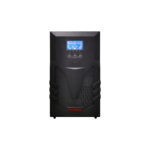
An internal-battery UPS and an extended-runtime UPS solve different packaging and service questions. External batteries can support a longer-duration requirement where the exact UPS permits them, but they add compatibility, space, charging and maintenance considerations. Select the complete approved configuration rather than assuming a battery connector allows unlimited expansion.
Identify what the quoted UPS includes
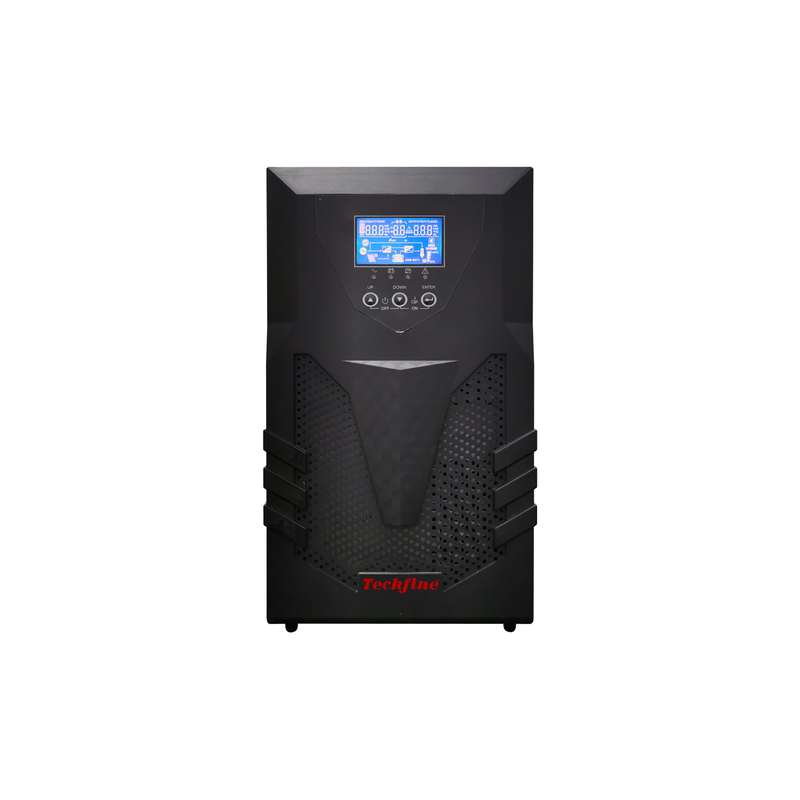
Determine whether the price includes internal batteries, an external battery arrangement or only a UPS intended for separately specified storage. Model suffixes can distinguish variants, so record the complete code. A photograph of a UPS cabinet does not establish that its battery system is included or ready to meet the required runtime.
Ask the supplier to list every battery component and accessory in the quotation. Include any cabinet, approved interconnection and required configuration work. Comparing a complete internal-battery package with a bare extended-runtime platform can make the latter appear cheaper until the missing equipment is added.
Choose expansion around the runtime objective
Specify the protected load and required duration before selecting battery quantity. More storage can be useful, but it does not increase the UPS’s watt or VA output capacity. If the load already exceeds the power platform’s limits, additional batteries do not resolve that mismatch.
Distinguish future runtime expansion from future load expansion. A plan to keep the same network running longer asks a different question from a plan to add more servers. Document both if they apply, and have the supplier assess the complete growth scenario.
Use exact battery compatibility information
Battery voltage, chemistry, connection, protection and control requirements must match the supported UPS configuration. Similar connectors or cabinet sizes do not prove compatibility. Schneider Electric’s SRT battery compatibility guidance illustrates how a manufacturer specifies particular packs for particular UPS models. It is not approval to use those packs with Techfine equipment.
For Techfine, request the approved arrangement for the exact UPS version. Do not connect an arbitrary battery bank or force a connector because its nominal voltage appears suitable. Installation and replacement should follow the manufacturer’s instructions through appropriately qualified personnel.
Check recharge capability alongside runtime
Longer runtime uses more energy, and restoring that energy requires charging. Ask for the recharge basis for the proposed configuration, including the level of charge restored and applicable conditions. A number stated for a standard internal battery may not describe an expanded arrangement.
Consider a site with repeated outages. The first interruption may be well supported while the next arrives before recovery is complete. Include the expected outage pattern in the specification so the supplier can assess whether the charging arrangement and storage quantity support the intended service.
Plan physical space and service access
External battery equipment occupies space and adds weight. Review the installation location, support arrangement, temperature conditions and access for inspection or replacement. The final layout should show both the UPS and its battery system rather than leaving the latter as an unspecified item beside the cabinet.
For rack installations, identify the approved mounting equipment and service access requirements. For floor-standing arrangements, review the complete physical installation with the responsible designer. Do not infer that a location suitable for a small UPS is automatically suitable for several battery cabinets.
Clarify replacement and service continuity
Ask who can replace the battery and what service state is required. User-replaceable, service-replaceable and hot-swappable are different claims. A product supporting one does not automatically support all of them. The exact procedure and operating limitations must come from its documentation.
Also ask what protection remains available during the approved service procedure. A UPS may keep a load energized while battery backup is temporarily unavailable, depending on the arrangement. The owner needs to understand that distinction when scheduling maintenance, particularly where continuous service is important.
Record configuration and monitoring requirements
Some supported extended-battery arrangements require the UPS to know the installed configuration for charging or runtime estimation. Confirm whether automatic detection, manual configuration or another approved process applies. Do not assume the display will report accurate remaining time merely because the physical connection is complete.
Keep the installed configuration with the asset record and update it after a change. Include any required communication accessories. If monitoring reports battery status, establish which items are visible and what inspection remains necessary outside the dashboard.
Compare ownership costs, not only battery quantity
| Decision area | Internal arrangement | Approved external arrangement |
|---|---|---|
| Packaging | Battery contained within the UPS configuration | Additional space and equipment to plan |
| Runtime change | Limited to supported model options | Possible only within approved expansion limits |
| Charging | Use the documented standard configuration basis | Confirm recovery for the actual battery quantity |
| Maintenance | Follow model-specific access and replacement procedure | Include all cabinets and associated components |
| Power capacity | Constrained by the UPS output ratings | Still constrained by the UPS output ratings |
Neither column is inherently the better choice. A compact, short-duration requirement and a planned extended-runtime installation can justify different solutions. The comparison should make the tradeoffs explicit for the actual site.
Ask about limits before planning later additions
Establish the maximum supported expansion and whether later production versions remain compatible. An empty space reserved for another cabinet is useful only if an approved electrical and control arrangement also exists. Recheck compatibility when the actual expansion is purchased.
Keep the initial and proposed future configurations in the quotation review. Ask what changes are required to charging, monitoring or installation when moving between them. This prevents a future maintenance team from treating the original plan as unconditional permission to add more batteries.
Prepare a complete Techfine request
Use the Techfine CQ series page to identify the intended UPS family. State the actual load, runtime objective, available space, recovery requirement and maintenance responsibility. Confirm the exact model and whether the quoted battery arrangement is internal, external or separately supplied.
Request the current manual, approved battery specification and runtime evidence for the complete configuration. A clear equipment list and service plan are more useful than a promise that a UPS is “expandable” without defined limits.
Frequently asked questions
Can any UPS accept external batteries?
No. Use only a model explicitly designed for the approved external arrangement.
Do extra batteries increase available watts?
No. They concern stored energy and runtime; the UPS output ratings remain separate constraints.
Does external battery mean hot-swappable?
No. Follow the exact service capability and procedure stated for the selected equipment.