A hot utility room can reduce the power an inverter can deliver even when its electrical connections and enclosure rating are appropriate. Cooling and thermal derating therefore belong in the system’s power assessment. Review the room during its demanding operating conditions, not only during a cool installation visit, and compare the expected duty with the exact model’s temperature-dependent capability.
Distinguish operating temperature from full-power capability
A stated operating-temperature range identifies environmental conditions under which equipment is intended to operate, subject to its documentation. It does not necessarily promise full rated output throughout that entire range. A product can remain operational while reducing power as temperature rises. Ask for the applicable derating information and the conditions behind the continuous-power rating.
Keep ambient temperature separate from an internal sensor reading. The room air, air entering the equipment and internal components can have different temperatures. A dashboard value is useful only if its meaning is understood. Do not compare an internal temperature directly with an ambient limit and conclude that the manual has been exceeded.
Describe the actual room heat balance
Identify other equipment that releases heat into the room, including chargers, batteries and unrelated building services. Consider how long those devices operate together and whether the space exchanges air with a cooler area. A room that is adequate for one inverter may behave differently after storage or additional equipment is installed.
Conversion losses also become heat that must be managed. For a purely illustrative calculation, delivering 3,000 W at an assumed 95% efficiency requires about 3,158 W input, leaving roughly 158 W as the difference. The assumption is not a Techfine efficiency claim or a complete room-ventilation calculation. It demonstrates why equipment that is efficient can still add a meaningful heat load.
Protect the intended cooling path
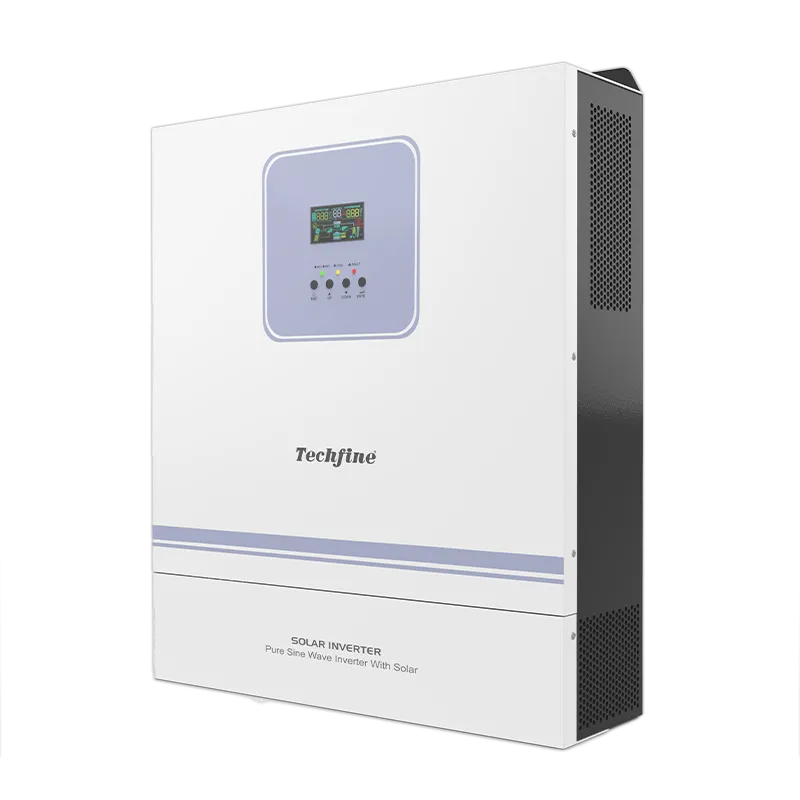
Follow the selected model’s orientation, clearances and ventilation requirements. Do not place stored cartons, shelving or another cabinet where they obstruct the intended flow of air or access for service. Physical space that looks unused may be part of the equipment’s required operating environment.
Victron’s Inverter RS Smart installation instructions illustrate how mounting and clearance requirements are tied to a particular product. Use the matching Techfine manual for Techfine equipment; do not copy another cabinet’s clearance values. Required spaces should be included in the layout drawing before the installation location is approved.
Account for sunlight and added enclosures
An exterior wall in direct sun or a poorly ventilated protective cabinet can create a more demanding thermal environment than the surrounding weather report suggests. Evaluate the actual mounting position and any proposed outer enclosure. A cover intended to protect against rain may also restrict cooling if it is not part of an approved arrangement.
Do not add fans, cut ventilation openings or alter the inverter enclosure as an informal cure. Changes can affect ingress protection, airflow and safety. If the proposed site needs supplementary room ventilation or an engineered enclosure, have the designer and equipment supplier assess the complete solution.
Match duty to the hottest credible operating period
Consider when solar charging, AC charging and load supply occur. The room’s highest temperature may coincide with a busy afternoon rather than the largest overnight battery load. A design based only on daily average power can miss that overlap. Record the expected duration of the demanding duty as well as its magnitude.
Ask the supplier which rating or derating curve should be used for the proposed mode. Charging and inversion may have different constraints. A quoted maximum output should not be assumed available while every other function is simultaneously at its own headline maximum. Review the full operating condition.
Use a thermal planning worksheet
| Planning item | Information to collect | Decision supported |
|---|---|---|
| Room conditions | Expected temperature pattern and other heat sources | Whether the proposed location is suitable |
| Equipment cooling | Required orientation, clearances and maintenance access | Final mounting layout |
| Operating duty | Load, charging mode and duration at high temperature | Applicable power capability |
| Derating evidence | Exact model data and reference conditions | Capacity assessment and any design margin |
| Long-term upkeep | Inspection responsibilities and approved cleaning method | Preserving the original cooling arrangement |
The worksheet should distinguish measured conditions from assumptions. If temperature data is unavailable, mark the design basis and identify how it will be confirmed. An unexplained oversized inverter is not a substitute for knowing whether the room can support the intended service.
Interpret thermal warnings in context
If the equipment reports a temperature-related condition, record the exact message, current mode, load and surrounding conditions. Determine whether the behavior is a documented protective response or an unexpected fault. A cooling fan changing speed can be normal; a new noise or persistent warning requires the manufacturer’s support guidance.
Victron’s operation manual separates high-temperature protection from other operating conditions. That is a useful diagnostic principle, but the alarm meanings and recovery behavior must come from the actual Techfine model. Never disable protection to preserve a nominal output figure.
Plan maintenance without compromising the equipment
Inspect the surrounding space as part of the maintenance plan. Dust buildup, newly stored materials or a changed room layout can alter cooling after commissioning. Use only the approved cleaning and service procedures. Opening the enclosure or replacing an internal fan belongs with authorized qualified personnel.
Record changes to nearby equipment as well as changes to the inverter. Adding a charger or closing a previously open doorway can affect the thermal environment without altering any inverter setting. The original location review should make it possible to identify these changes rather than treating repeated temperature warnings as isolated events.
Request the right Techfine information
Use the GA Pro Plus series page to identify the intended platform, then request the current model manual and temperature-dependent performance information. Provide the room layout, expected conditions and combined operating duty. The Techfine download center can help locate the relevant documentation.
Ask the quotation to state any thermal assumptions behind the proposed capacity. This gives both parties a reviewable basis and prevents a catalogue rating from being treated as an unconditional site guarantee.
Frequently asked questions
Does an IP66 rating prevent thermal derating?
No. Ingress protection and thermal capability address different requirements. Both must be suitable for the installation.
Is a larger inverter always the answer to a hot room?
No. The environment, cooling path and duty still need assessment. A different cabinet cannot compensate automatically for an unsuitable location.
Should users override temperature shutdowns?
No. Preserve protective functions and use the manufacturer’s troubleshooting and service process to address the underlying condition.