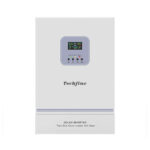
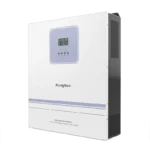
Solar inverter WiFi monitoring is useful only when the correct equipment is connected, the right person owns the account and the displayed data is understood. A successful network connection is one stage of commissioning, not the whole handover. Plan hardware compatibility, device identity, data freshness and support access together so the customer can use the system after the installer leaves.
Confirm what monitoring hardware is included
Check the exact inverter and communication-module combination. WiFi can be optional, supplied as an external module or implemented differently across versions. A product page describing remote monitoring does not establish that the quoted package contains every required accessory. Identify the module and supported application in the equipment list.
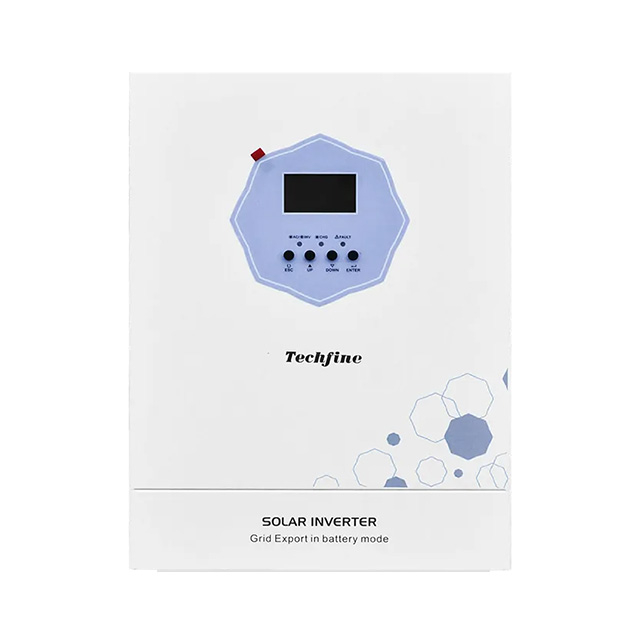
Techfine’s QA series specification lists external WiFi communication as an option. Ask the supplier which accessory and instructions apply to the exact model. Do not assume a module from a similar-looking inverter or another manufacturer is interchangeable.
Separate the links in the monitoring chain
The module must obtain power, communicate with the inverter, join a supported local network and reach the monitoring service where applicable. The application must then associate the correct device with the correct account. Success at one stage does not prove every later stage is working. A router connection can exist while the inverter data link or service connection is unavailable.
Techfine’s WiFi connection guide describes its covered module and application, including network requirements and indicator meanings. Use it where it matches the supplied equipment; confirm the current module instructions rather than applying its LED patterns to every accessory. This article focuses on commissioning evidence and ownership instead of replacing the installation procedure.
Plan network suitability before the installation visit
Confirm the module’s supported network requirements and the site’s available connection. Check signal conditions at the actual inverter position, which may differ substantially from the room where a phone normally works. Metal enclosures, walls and the location of the access point can influence the practical arrangement.
Ask the site’s network administrator to provide an approved connection method. Do not weaken network security or expose an inverter interface publicly as a shortcut. If the standard module cannot use the available network, discuss supported alternatives with the supplier before commissioning day rather than improvising an unsupported configuration.
Establish account ownership deliberately
Decide who owns the monitoring account and who needs service access. A homeowner, business operator and installer may have different responsibilities. Avoid leaving the permanent customer device bound only to an installer’s personal account without an agreed handover. The customer should understand how access is recovered if a staff member or service provider changes.
Use the application’s supported ownership and sharing functions. Keep passwords and other private access details out of general commissioning reports or public photographs. A useful handover record can identify the responsible organization and access process without publishing credentials.
Match device identity to the physical installation
On a multi-inverter site, give each unit a clear name associated with its actual position and equipment record. Confirm device identifiers against the installed labels using the manufacturer’s procedure. A dashboard with plausible solar readings may still show the wrong unit if identity was not checked carefully.
Record the inverter and module identities in the appropriate private asset register. Do not rely entirely on a nickname such as “solar system,” especially when the site will expand. Clear naming helps support staff connect an alarm or missing-data report to the correct physical equipment without unnecessary visits.
Check data freshness and meaning
A dashboard can display the last received values even when a connection is no longer current. Check timestamps, update status and the platform’s definition of online. Ask which readings are measured directly, calculated or aggregated. PV power, battery charging power and site load are related but describe different parts of the system.
Compare the application with the inverter’s supported local display under a known operating condition. Small differences can arise from update timing or different definitions, so interpret the values before diagnosing a fault. The goal is to confirm that the customer sees the correct device and understands what the readings represent.
Use a monitoring acceptance worksheet
| Area | Acceptance question | Record |
|---|---|---|
| Hardware | Is the approved module fitted for this inverter? | Model and accessory identification |
| Network | Does the connection work at the installed position? | Supported arrangement and responsible administrator |
| Ownership | Can the intended owner access the correct device? | Account responsibility and supported sharing process |
| Data | Are readings current and correctly interpreted? | Timestamp and local-display comparison |
| Support | Who responds to an alarm or offline report? | Contact route and escalation responsibility |
Keep private information separate from a general customer-facing checklist. The record should demonstrate completion without turning into a collection of passwords. If the owner declines remote service access, document the agreed support arrangement rather than retaining an undisclosed installer login.
Agree on alerts and remote changes
Identify which alerts are supported and which the customer wants to use. Establish who receives them and what response is expected. A notification is useful only if someone is responsible for interpreting it. Avoid promising every possible fault alert when the supplied module or application has not been verified to provide it.
Distinguish monitoring permission from permission to change operating settings. If remote configuration is supported, agree on who may use it and how changes are recorded. Battery settings, operating priorities and other controls should not be altered casually by someone who only intended to inspect performance data.
Prepare for network and service changes
Routers are replaced, passwords change and business networks are reorganized. Give the owner the current supported reconnection instructions and identify when supplier assistance is needed. A network change should not require guessing which device was originally installed or who owns its account.
Also confirm the model’s operating behavior when internet service is unavailable. Do not assume that an offline dashboard means the inverter has stopped supplying power, or that loss of cloud access has no effect on every possible feature. Use the manufacturer’s description of local operation and monitoring limitations for the selected equipment.
Frequently asked questions
Does connecting a phone to WiFi prove monitoring is ready?
No. The inverter module must satisfy its own network and communication requirements, and the correct device must be associated with the intended account.
Can the installer keep access after handover?
Use only the owner’s agreed service arrangement and the platform’s supported sharing controls. Make ongoing responsibility clear.
Where should the product discussion start?
The Techfine QA series page identifies the platform. Request the exact monitoring accessory, supported application and current instructions with the quotation.