An online UPS can have several power paths, and they do not all provide the same operating behavior. Normal double conversion, static bypass, maintenance bypass and an optional efficiency mode answer different needs. Before enabling ECO mode or relying on bypass, identify the exact model’s supported states and the connected equipment’s requirements. A mode name alone is not a complete availability plan.
Start with normal double-conversion operation
In normal online operation, the UPS supplies the load through its conversion path. That architecture is part of why a buyer may select an online product. The actual output quality, overload behavior and continuity specification still belong to the exact model and conditions.
Keep the intended operating mode in the quotation and commissioning record. A successful demonstration in normal online operation should not be treated as evidence for every other mode. If someone later enables an efficiency function, the relevant service requirements need to remain satisfied.
Understand static bypass as a different path
A supported static bypass can supply the load through a path that bypasses the normal conversion section under defined conditions. Its availability can depend on the bypass source and the model’s control rules. Ask what initiates a transfer, what source conditions are required and what protections or limitations apply in that state.
Do not read bypass as an independent energy source. If the upstream source is unavailable or unsuitable, the bypass path cannot create a replacement supply. The exact UPS design determines its response. A bypass feature is therefore part of a system assessment rather than a blanket guarantee against interruption.
Keep maintenance bypass distinct
A maintenance-bypass arrangement is intended to support defined service work in an approved installation. It is not the same as a normal operating-mode selection or automatic static-bypass function. Its design, isolation capability and permitted service procedure must be established for the complete installation.
Only appropriately qualified personnel should perform the approved service and switching procedure. This article does not give a sequence for operating bypass switches or isolating a UPS. Never assume a load remaining energized means that equipment is safe to open or remove.
Understand what an efficiency mode changes
Where a product offers ECO or another high-efficiency mode, it can use a different normal power path and return to conversion under specified conditions. The detailed implementation and transition behavior vary by model. Confirm what the feature actually does before treating it as a simple energy-saving checkbox.
Eaton’s UPS feature guide explains economy mode as a supported function on relevant products. Schneider Electric’s UPS operating explanation also distinguishes traditional ECO behavior from other implementations. These references describe their manufacturers’ technologies, not a feature guarantee for Techfine models.
Compare modes by service requirements
| State or feature | Question to resolve | Evidence needed |
|---|---|---|
| Normal online operation | What output behavior is provided for the accepted duty? | Exact model specification and commissioning result |
| Static bypass | When can it operate and what source conditions apply? | Mode description and approved settings |
| Maintenance bypass | What service work does the complete arrangement support? | Approved design and qualified service procedure |
| Optional efficiency mode | What path and transition behavior change? | Feature-specific manual and load compatibility review |
This comparison prevents an efficiency percentage from becoming the sole basis for a mode decision. The relevant question is whether the protected service remains within its requirements in every state the plan relies on.
Assess supply quality and load tolerance
Consider the site’s actual input conditions and the equipment’s tolerance of transitions and disturbances. A mode suitable for one IT installation may be inappropriate for a different process. Use the actual load requirements rather than assuming that every device described as sensitive needs identical treatment.
If continuity depends on a particular operating path, document that requirement clearly. Review the behavior during loss and restoration of input, as well as any supported mode transitions. A short specification value quoted for normal operation does not necessarily apply unchanged to bypass or efficiency operation.
Calculate savings from a relevant operating point
An advertised maximum efficiency may occur at a load level different from the site’s normal duty. Ask for appropriate performance information and identify which equipment and conditions are included in the comparison. Avoid applying another manufacturer’s percentage to a Techfine product.
As an illustrative method, compare input energy for the same useful load over the same period under two approved modes. The difference can inform an operating-cost estimate, but it must not be purchased by violating the service requirement. Use a complete technical and operational review, not an isolated efficiency headline.
Plan service availability realistically
Ask what happens when the conversion section needs maintenance and what source remains available. A bypass arrangement may preserve supply under its supported conditions while changing the level of conditioning or backup available. Explain those limits to the owner before scheduling service.
Also distinguish serviceability from redundancy. A single UPS with a bypass is not automatically equivalent to an independently redundant power architecture. If the customer requires a defined level of continuity during component failure or maintenance, make that an explicit engineering requirement.
Confirm Techfine features instead of assuming them
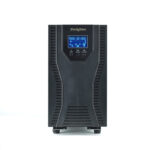
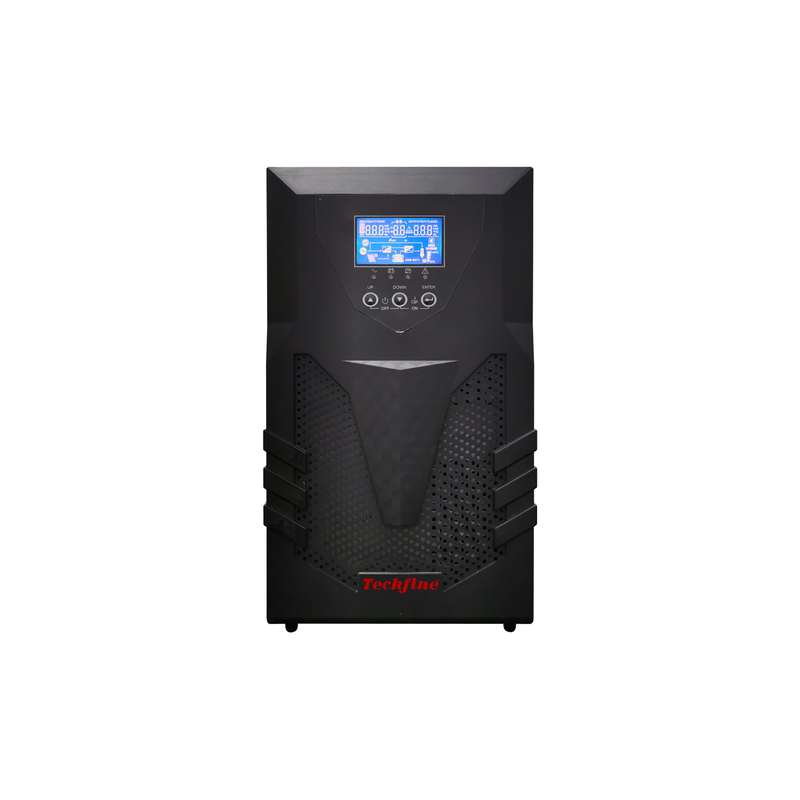
The Techfine CQ series page identifies an online UPS platform. It does not by itself establish every bypass or ECO option for every version. Ask the supplier whether the exact quoted model supports the required feature, which accessories are needed and how the relevant states behave.
Request the current manual and a mode-specific response to the application requirements. If ECO is not offered on the chosen version, do not carry the feature into a proposal merely because it appears on a different online UPS. Keep the accepted operating mode with the equipment record.
Make mode changes controlled
Identify who may change the operating policy and how the change is reviewed. Record the reason, relevant supplier guidance and any required acceptance check. A service team should be able to see why the UPS is operating in a particular state rather than discovering an undocumented setting later.
Frequently asked questions
Does bypass mean battery backup is always available?
No. Determine the actual power path and model behavior in that state. Do not infer backup capability from the word bypass.
Does every online UPS include ECO mode?
No. Confirm the exact product version and supported options.
Is ECO mode automatically the best choice?
No. Balance relevant efficiency evidence with the equipment’s continuity and power-quality requirements.