UPS monitoring needs a complete path from the equipment’s status information to a person or system that can act on it. RS232 and SNMP offer different integration arrangements, but neither name alone guarantees useful alarms or orderly shutdown. Specify the receiving software, required events and response responsibilities before purchasing the interface.
Define the response before choosing the connection
List what the organization needs to know and what should happen next. A local operator display, remote alert and automatic server shutdown are different outcomes. Decide which are required and how quickly they must occur. A UPS sending information that no one receives does not provide an accepted monitoring service.
Identify who responds outside working hours and which systems must act automatically. Include the distinction between an ordinary on-battery event, a low-battery condition and an equipment fault. Those events can need different responses rather than one undifferentiated warning message.
Understand the RS232 arrangement
RS232 provides a serial communication interface that can connect a UPS to a supported host or management arrangement. The cable, port configuration, protocol and software must all match. A compatible electrical interface does not mean every application understands the UPS’s messages.
Confirm the supplied cable and supported software for the actual operating system. A legacy compatibility list should not be assumed to cover a current server or workstation version. If a serial adapter is proposed, verify the complete supported arrangement rather than treating the adapter as a universal protocol converter.
Understand the SNMP arrangement
A supported SNMP management interface allows a network management system to obtain defined information from the UPS and, where supported, receive event notifications. The UPS may require an optional card. Confirm that the exact accessory is included and compatible with the selected model and firmware.
A management slot is not itself a configured network interface. The card, supported protocol versions, management definitions and receiving platform must form a working arrangement. Ask which values and events are exposed, rather than assuming every quantity shown on the UPS screen appears through SNMP.
Keep monitoring, notification and shutdown separate
Reading a battery percentage does not prove an alert will be delivered. Receiving an alert does not prove a server will shut down. Automatic shutdown may require compatible software or a supported management agent on the protected systems. Confirm each function independently.
Schneider Electric’s UPS monitoring software guide illustrates a dedicated software component for a supported SNMP management arrangement. It is not proof of compatibility with Techfine equipment. Obtain the appropriate software and integration confirmation for the actual UPS and receiving systems.
Build an event and action matrix
| Event | Required recipient | Action to verify |
|---|---|---|
| On battery | Operator or monitoring platform | Record the outage and begin the agreed policy |
| Low battery | Responsible automation and administrator | Complete the supported shutdown response in time |
| UPS fault | Service owner | Escalate with the exact equipment information |
| Communication lost | Monitoring owner | Distinguish missing data from confirmed normal operation |
| Utility restored | Recovery process | Apply the approved recovery policy |
The matrix should include who owns each response and how completion is recorded. If an event is unsupported by the proposed interface, mark it as a gap instead of assuming it will be available after installation.
Design the communication path for an outage
Network-based management depends on the relevant switches, management host and other local infrastructure remaining available long enough. Include those dependencies in the protected power and runtime plan. A network card can remain alive while its messages have no usable path to the receiving server.
A serial arrangement has different dependencies, including the host and management service receiving the data. Identify what happens if that host is unavailable. The connection method should fit the service requirement and the organization that will maintain it, not merely the ports available on a desk.
Set appropriate access and ownership
Use the supported security features of the exact management interface and the site’s approved network arrangement. Restrict management and configuration access to the people and systems that need it. Do not expose a UPS management interface publicly as an easy way to obtain remote access.
Keep credentials out of general handover documents and alarm screenshots. Record who owns the account, where authorized administrators obtain access and who maintains the receiving platform. Monitoring responsibility should survive staff changes without relying on a personal laptop that is no longer present.
Verify useful data and timestamps
Confirm that readings correspond to the correct UPS and are current. A stale last value must not be treated as confirmation that the equipment is healthy. Check device naming, time references and the monitoring platform’s communication-loss behavior.
Compare selected reported values with the supported local display under a known condition. Understand units and definitions before diagnosing differences. UPS load percentage, battery charge and estimated remaining time describe different quantities; the monitoring system should present them clearly enough for operators to respond correctly.
Test the agreed response end to end
Use an approved commissioning plan and suitable maintenance window. Confirm event recognition, receipt, escalation and any required shutdown through the supported procedures. This guide does not instruct an administrator to interrupt production equipment unexpectedly or create electrical faults for testing.
Retain logs and timestamps showing the outcome. A successful connection test is not the same as a completed shutdown test. If some events cannot be demonstrated safely at the visit, record the remaining evidence needed and assign responsibility.
Confirm the Techfine interface and software package
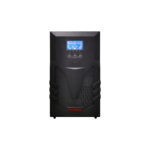
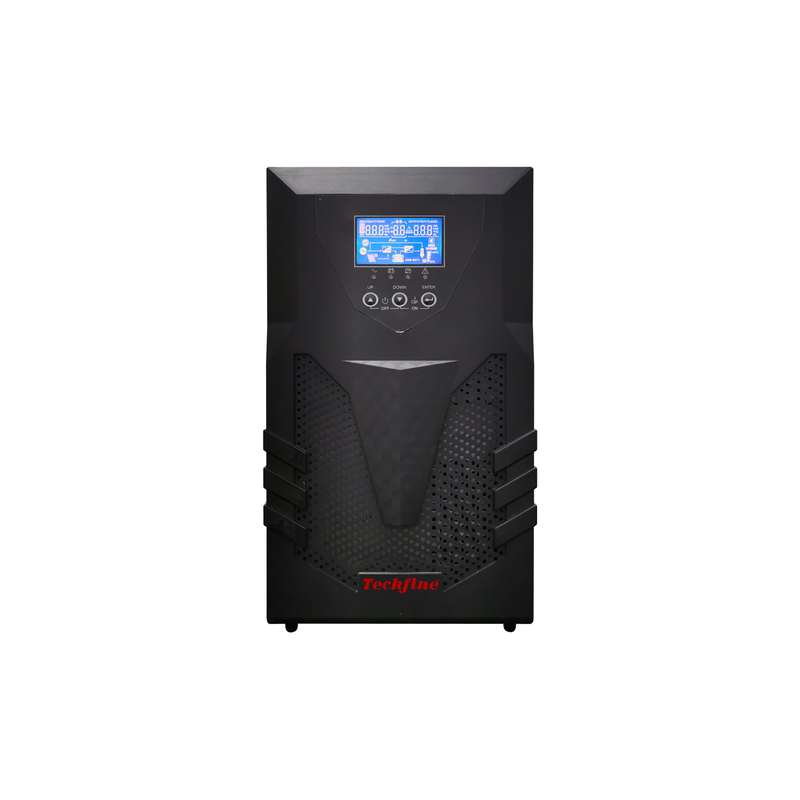
The Techfine CQ specification identifies RS232 management and optional SNMP support. Confirm the exact card, software version and operating-system compatibility for the quoted UPS. Do not infer current platform support from an older operating-system list.
Use the CQ product page in the enquiry and provide the receiving platform, protected systems, required alarms and shutdown objective. Ask the supplier to identify every required accessory and software component, then retain the accepted configuration with the service record.
Frequently asked questions
Does an Ethernet-shaped socket always mean SNMP?
No. Identify the port’s documented purpose and the exact management accessory rather than relying on connector shape.
Does SNMP monitoring automatically shut down servers?
No. Verify the supported software, communication path and shutdown policy separately.
What should happen when monitoring data disappears?
The approved platform should identify communication loss and route it to a responsible owner. Missing data is not proof of normal UPS operation.